
Introduction
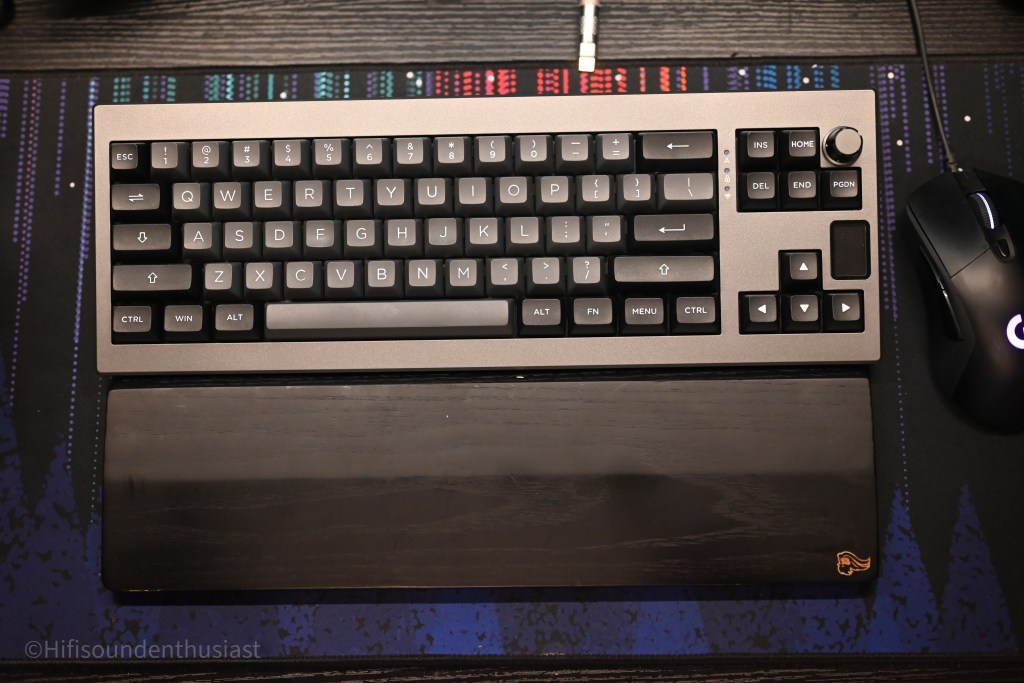
When Epomaker reached out to me, I never really expected to end up really reviewing a keyboard. But nonetheless, here I am reviewing their Shadow-X keyboard. I’m no stranger to keyboards though. I have my own custom keyboards that you might have seen in my setup photos and the like. I admit this will be a different experience, but I remain true to my review ethics and will evaluate this per my methods, and if need be, I will make modifications to my methods to be more relevant to the product and will take the feedback I’m given. Here I go:
Epomaker, short for Epoch of Makers, makes keyboards with three goals in mind: customizability, affordability, and high standards. As they quote on their website: “Composed of gamers, software engineers, product designers, and mechanical keyboard enthusiasts, we were inspired to create our own line of keyboards to share with the world.” And share with the world they do, with many models offered on their website. The company also seems to be dedicated to getting feedback directly from the community, with them having their own discord server, a rather unique aspect I don’t usually see in my own review experience.
For this review Epomaker has sent me their Shadow-X keyboard with the Flamingo switches, their own custom linear switches lubed from factory, with various features and connectivity methods which I will explore in this review. Interestingly, the Shadow-X is a 70% gasket-mounted hot-swappable keyboard. Is this offering worth the sticker price of $85.99?
Disclaimer
For full disclosure purposes, Epomaker has sent me the Shadow-X for review. Regardless, they have in no way influenced my thought process and have only seen it for fact-checking purposes. Everything stated in this review is my own evaluation of the product. I once again thank them for this opportunity.
Specifications
Epomaker Shadow-X base keyboard
- ANSI layout, 70% Keyboard with Double Shot PBT Keycaps
- Color Screen and Metal Rotary Knob
- Gasket-Mounted and Poron Foams
- Three Modes of Connectivity, Built-in 3000mAh Battery
- PC Plate & South-facing LED
Epomaker Flamingo Switches
- Factory Lubed & Intact Housings
- 5-Pin, Compatible with MX Structure Keycaps & PCBs
- Built-in LED Slot & Durable Lifespan
- Linear Type with 35gf Initial Force
- Type: Linear
- Material: POM stem, PC housing, dual spring
- Pin: 5 Pins
- Actuation force: 47 ± 5gf
- Actuation Travel: 1.50-2.00mm
- Initial force: 35gf min
- Bottom force: 60gf max
- Total Travel: 3.80mm
- Lifespan: over 100,000,000 keystrokes
Specs taken and modified from the Epomaker website.
Setup
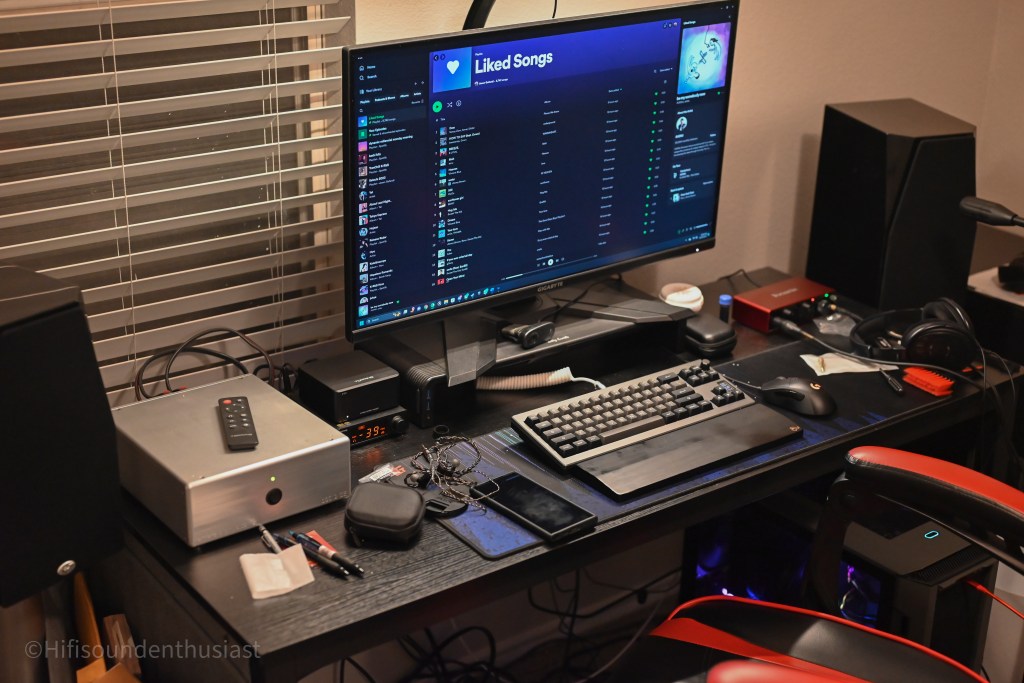
For this review, I have placed the Epomaker Shadow-X in my desktop setup, replacing my main keyboard the Moondrop Dash 75. This would be the main review location although I took it to work as well to use there for this review process as well. For the personal setup, I use the keyboard mainly on the LTT mousepad spread across the desk, of which is a wooden top. I tested with and without the mousepad for the sound and feel and used a TKL wrist rest from Glorious Gaming when applicable as well. For testing purposes, I have used the keyboard in all its possible configurations of connections, using bluetooth, the dongle and wired mode to my desktop.
Related equipment used in testing and references:
- Moondrop Dash 75 (swapped switches to Akko Matcha)
- KBDFans Tiger80 (personally tuned and lubes stabs, C3 Tangerine switches, PBT doubleshot keycaps)
- Custom PC (specs bellow)
- CPU: Ryzen 9 7900X
- Cooler: Noctua NH-D15 Chromax Black
- Motherboard: ASUS ROG Strix B650 E-F Wifi 6
- Graphics card: Sapphire AMD Radeon RX6950XT 16Gb GDDR6
- Memory: Corsair Vengeance RGB DDR5 32GB (16GBX2) 5200mHz
- Storage: Samsung 980 Pro 2TB SSD, Seagate Barracuda 2TB 7200RPM HDD
- Power Supply: Seasonic Focus 850W modular
Build Quality and Features
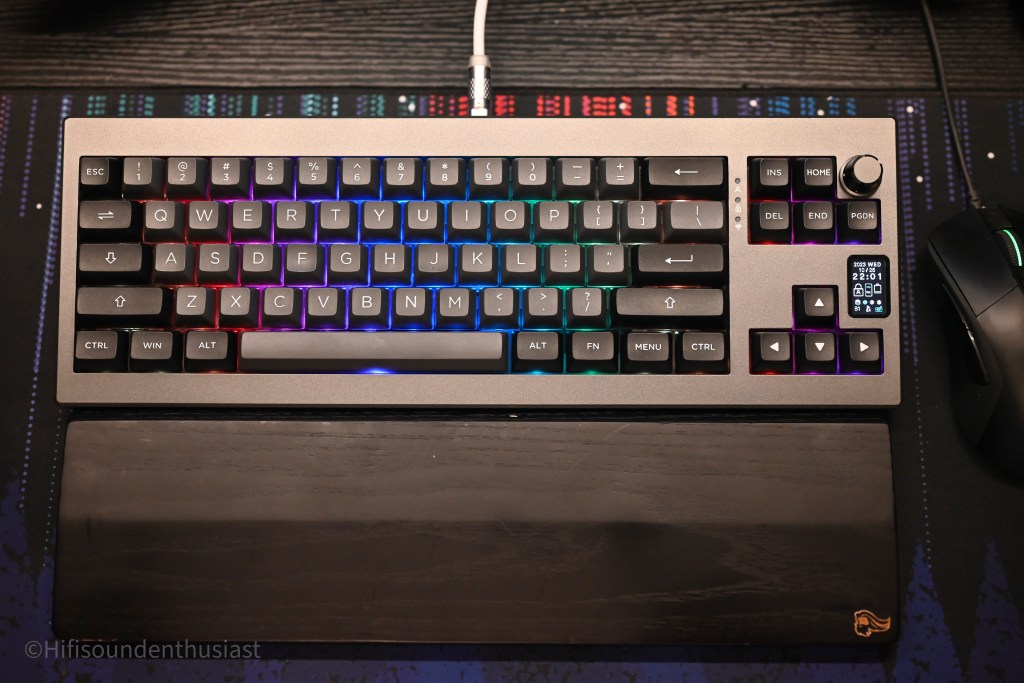
In all honesty, I was really surprised with the quality of the build. The Epomaker Shadow-X has a very solid plastic construction, it is not that heavy overall, and has good choices in the design. Frankly, I think this is already very good out of the box, although customization for the mini display on the side can be a little difficult, which I will explain a little later. It is rather interesting that they use a 70% design because that gets rid of the function keys, although if you have no use for it, this simplifies the whole keyboard design.
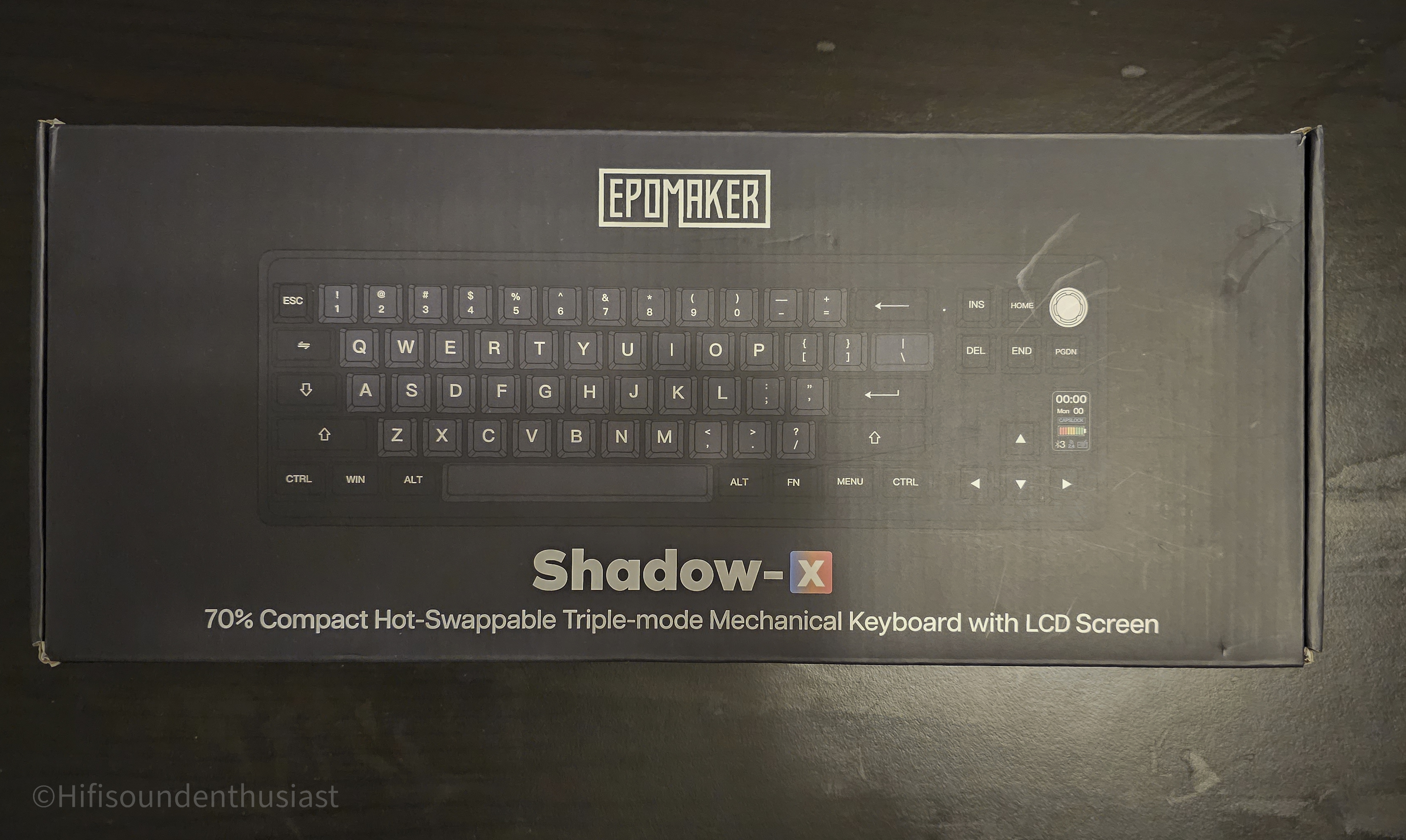


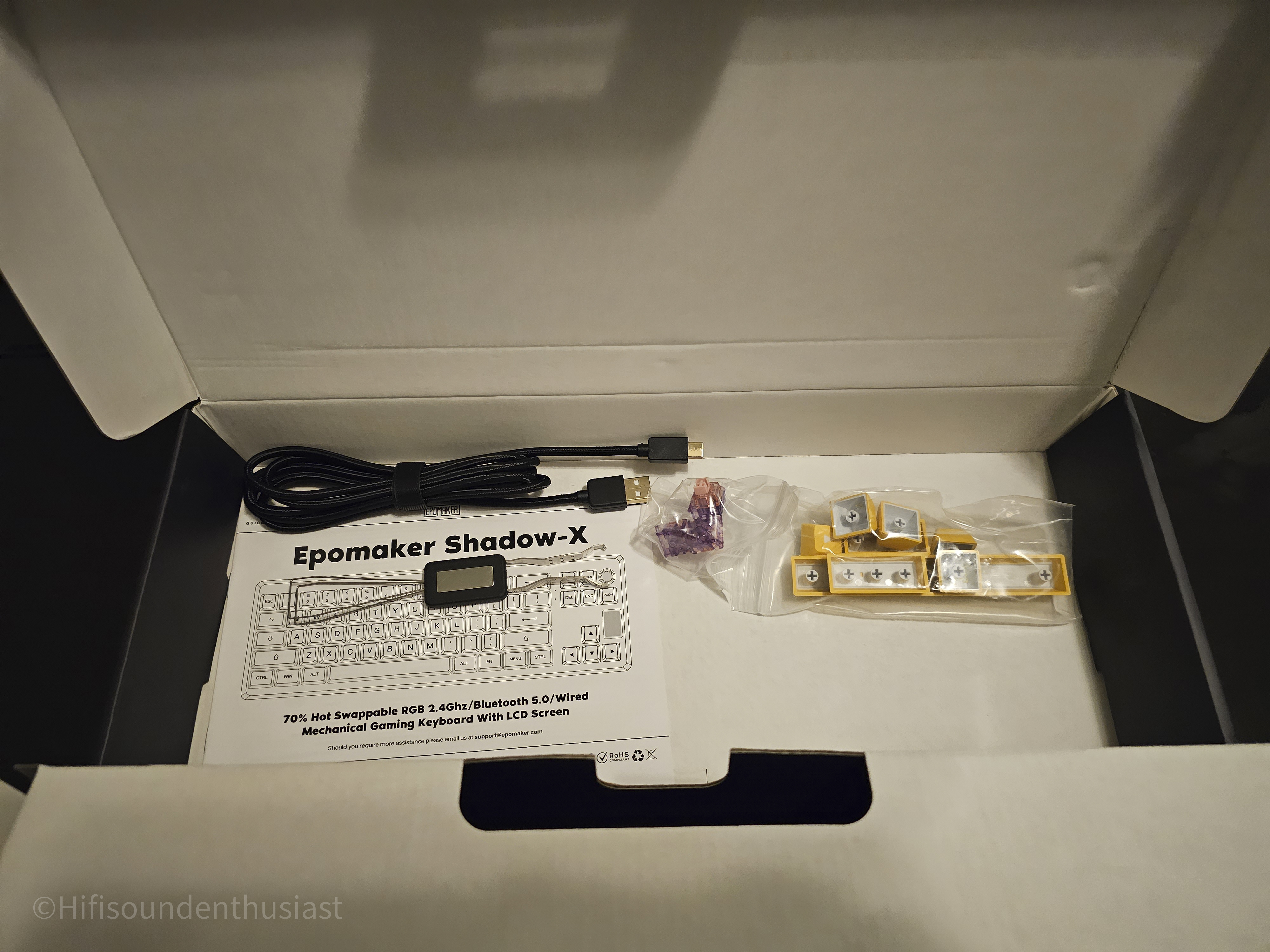
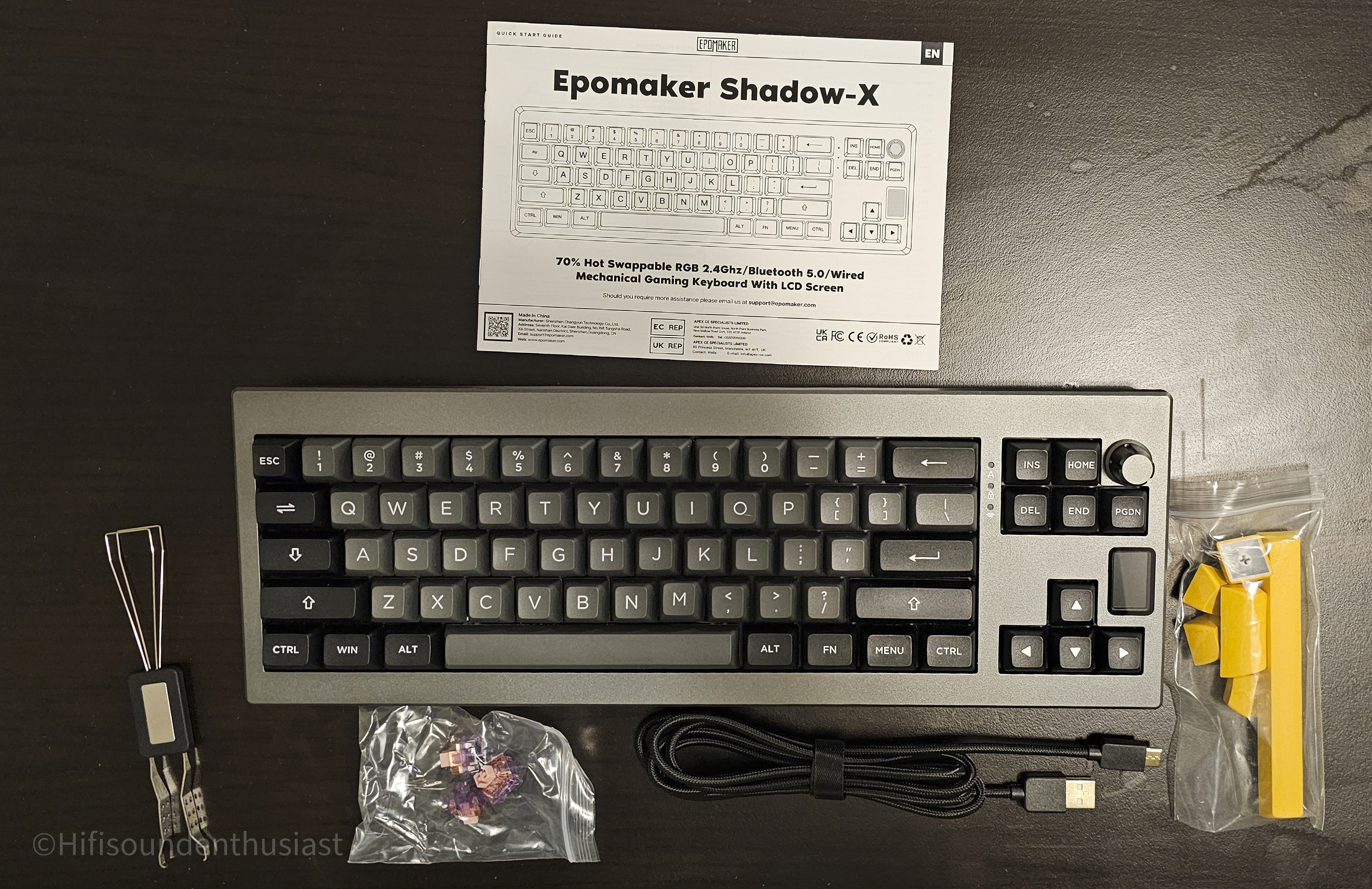
If you have never gotten into keyboards, I believe this is a good starter that is already good out of the box. But if there is that interest in getting into modifying your keyboards and making custom ones, you can experiment with this. You are given a keycap puller and switch puller 2-in-1 tool that will allow you to change your switches and your keycaps. Included in the box as mentioned above there is a set of keycaps for the space, and the non-standard keys (which means you can replace your delete, enter, windows/control/alt keys, those size of keycaps), that are yellow that will accent the shadow-x if you so desire, although I think the default configuration is what matches the Shadow-X name and make it not stand out too much.
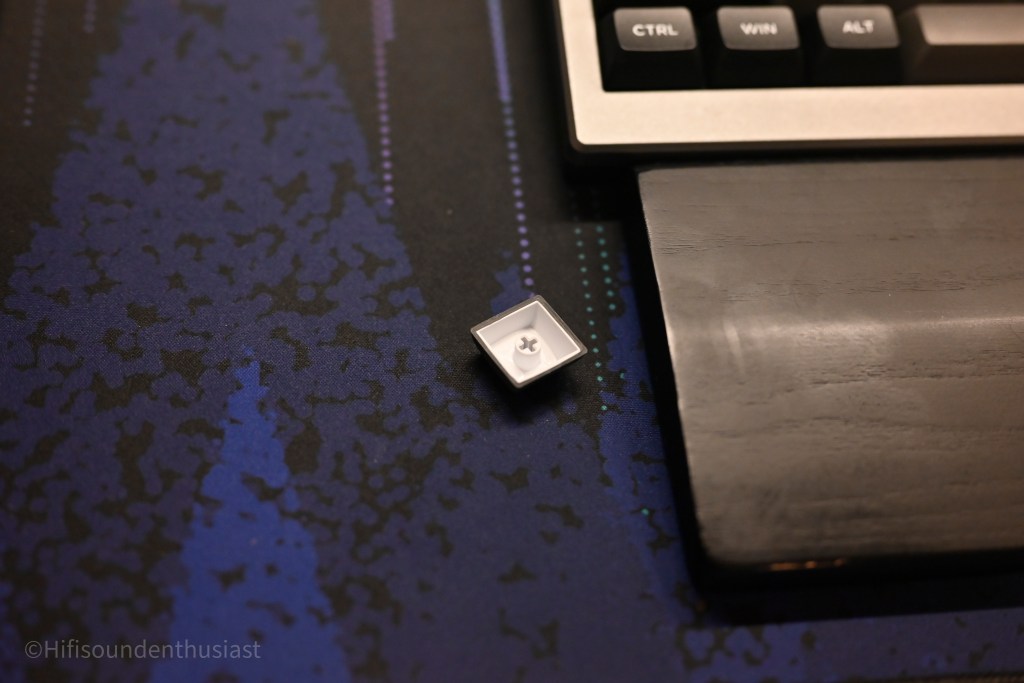
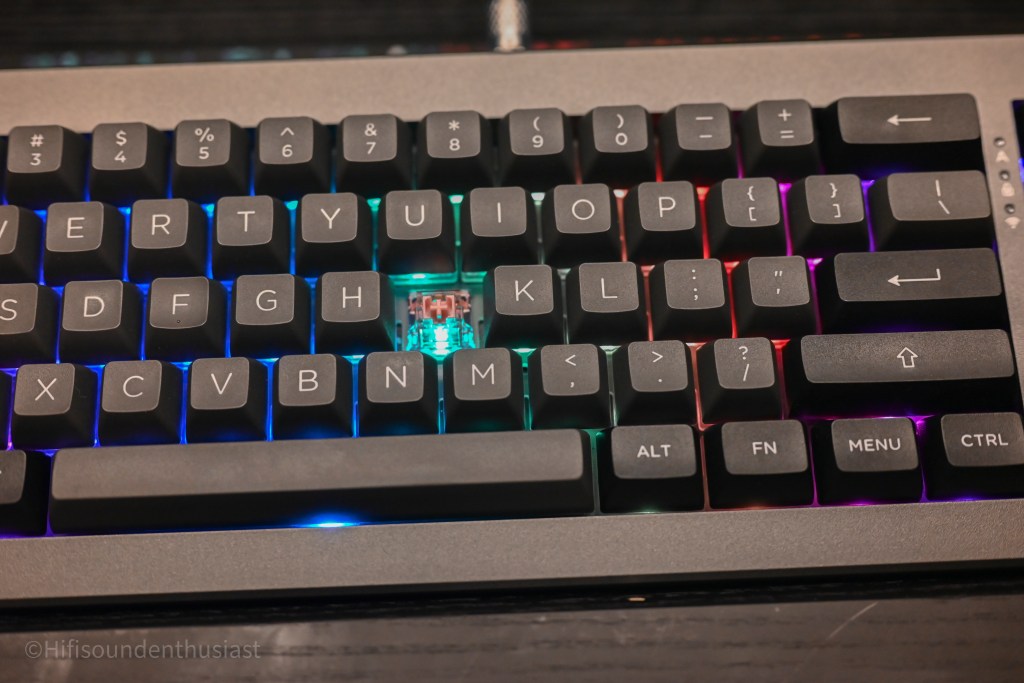
Speaking of the keycaps, they are doubleshot PBT keycaps in a interesting mold that is not cherry. Being doubleshot, I don’t expect the legends to ever fade, and so far from my use there has been no signs of major shining from my own finger oils after the week or two of office use, and leads me to conclude they will last for awhile. As for the weird unfamiliar keycap profiles, they actually isn’t a bad thing. For those with larger hands, this is keyboard has keys that are comfortable to press and with the rather low-force actuation spring in the switches of 35g, this also serves to be a very consumer friendly keyboard that will fit a lot of first timers, who might not be used to higher actuation forces, and is also great if you want the speed of typing. I type with all 5 fingers, learning the rather textbook way, so this makes the experience very comfortable coming from switches that I personally use with actuation forces of 50g for the Akko Matcha Greens, 62g with the C3 Tangerine, and 40g for the Moondrop Lunalight. They are the lightest by far in my personal experience but they a very comfortable experience and fits my preference of linear switches. Good job to Epomaker on their switches because they are also factory lubed so they are just overall very smooth as well, and they are pleasant to type on in general.
Speaking of the keycaps, they are doubleshot PBT keycaps in an interesting mold that is not cherry. Epomaker claims this to be a modified SA-like profile of their own design. Being double shot, I don’t expect the legends to ever fade, and so far from my use there have been no signs of major shining from my own finger oils after the week or two of office use and leads me to conclude they will last for awhile. As for the weird unfamiliar keycap profiles, they actually aren’t a bad thing. For those with larger hands, this keyboard has keys that are comfortable to press and with the rather low-force actuation spring in the switches of 35g, this also serves to be a very consumer friendly keyboard that will fit a lot of first timers, who might not be used to higher actuation forces, and is also great if you want the speed of typing. I type with all 10 fingers, learning the rather textbook way, so this makes the experience very comfortable coming from switches that I personally use with actuation forces of 50g for the Akko Matcha Greens, 62g with the C3 Tangerine, and 40g for the Moondrop Lunalight. They are the lightest by far in my personal experience, but they are a wonderfully comfortable experience and fit my preference of linear switches. Excellent job to Epomaker on their switches because they are also factory lubed so they are just overall very smooth as well, and they are pleasant to type on in general.
The small screen on the side serves as information or a display for anything you can put, if you can upload within the limitations specified in the software. As far as the display of the screen is concerned, it is a decent resolution allowing you to upload pictures and still make up what the picture is about if it is one subject or two. And I found a limitation to the files and file sizes you can upload the hard way as well. It doesn’t help there isn’t a customization guide on the manual itself, but online in a video that you have to find yourself. This is a slight drawback, but the default information screen is already very good information that you can read from if you don’t ever want to customize the screen with gifs, pictures or what you can put in there. It tells you what mode you are in and the battery information and related mode connection or whatnot.

Speaking of modes, the way you change modes is through the knob on the top right, contrary to my own first impression that this would be some sort of volume media key. But this makes sense because this keyboard’s connectivity is very flexible, from using the included dongle, bluetooth up to 3 devices which are each their own mode, and wired mode. The high-quality metal knob clicks into each mode in order from wired to dongle and then the 3 bluetooth devices you can pair with the keyboard. All this and a tutorial on customizing the keyboard is presented on videos on their Youtube website. Speaking of which, for customizing the screen specifically, they live stream how to do this with their software, but it is a livestream replay, do you have to scrub through the video to find specific parts of the tutorials and skip the setup and stream introductions. Would like to see more of a proper tutorial on this, but the general tutorials for general functions of the keyboard out of the box is a proper video.
For other types of “customizations” though, you won’t need the software, but you will need the manual or video. It’s not easy to memorize the different key bindings for some programmed quick customization changes you are able to do without the use of the software. This is quite the theme with the whole build though as everything requires quite involved research or reminders in manual to look up how to operate certain customization. It’s a plus overall however in this segment due to the customizations offered to the end user.

Epomaker for this product has delivered a feature packed keyboard, deviating from other keyboards I’ve ever experienced. Even if there are media keys or features on other keyboards, they don’t have features like the mini display on the side, multiple modes of connectivity as well as statistics accessible, and customizability of that display at this price point. Their keycaps are not a usual profile (for me at least) although very comfortable for larger fingers and with the doubleshot PBT design, they won’t shine, and the legends won’t fade. The knob is of metal construction and is very satisfying to click into each mode available to select with it. Overall, the keyboard quality and built with features seems defy the asking price of $85.99 currently online, and for this alone I would possibly pick this keyboard for the value of the features. Although, from a personal standpoint, they aren’t the easiest to customize.
Use Impressions
In this section, I will be going into more use case experiences with the keyboard, and so far, there are some non-ideal aspects of this product for my personal use cases. These come as an effect of the design choice for this keyboard. Things like the mini display, the 70% layout and short cuts that require a manual. They aren’t the best for certain activites I do outside of work such as gaming, and also for the office as well as sometimes you just don’t want the lights, or you want to make the battery for the keyboard last.
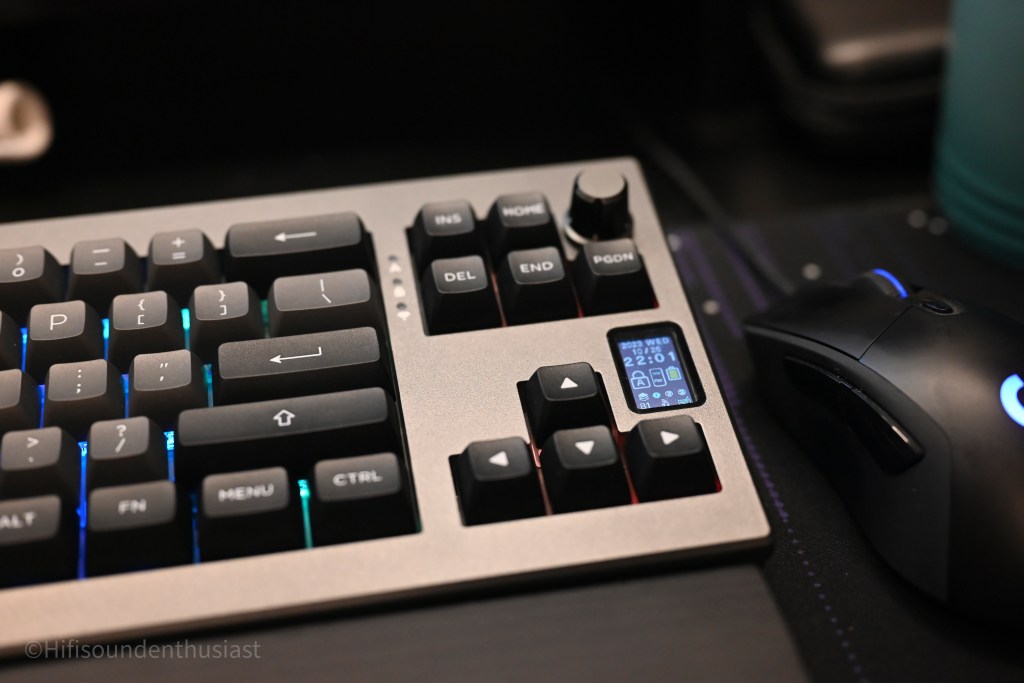
Speaking of the battery, although there is a 3000mAh battery, this doesn’t last more than 4 hours comfortably in my testing, even through the dongle. I do have the RGB lights on and the display on the side displaying statistics, but it drops very fast. I don’t feel comfortable leaving this without the cable to charge or connect, when bringing it to my office for testing. This would be a nice point of improvement for being able to use this more long-term with the features and lights it has.
Although it makes for a nice compact looking keyboard, they are two-fold a compromise for this admittedly clean design which befits the shadow-x name. Mainly, the lack of function keys eliminates more intuitive key binds that could be used with the functions keys, and for games that I play like Destiny 2, of which I use the function key F1 for a character menu, this eliminates that ability and I have to use a different way to get to that screen, which is not ideal and preferred for me personally trying to get to the character screen quickly. However, those are minor issues, as personally even if there are shortcut binds for features on the function keys, I won’t touch them too much and would require the manual anyway. It’s not like I don’t have any way to get to that character screen without function keys. If work uses the function keys for certain programs (which I do), this is also quite the drawback. If one’s use case however is devoid of any function keys, then there won’t be any desire for one and going about your day with this keyboard is a very pleasant experience.

Being of the silicon and poron gasket mounted type, which you can spot in-between the keycaps in the Shadow-X, I find the sound character just very good right out of the box with satisfying levels of “thock” and not being very loud. The stabilizers on the keyboard are a highlight for this keyboard. I didn’t mention it in the build section, but they are very satisfying to type on with the lubed switches. They aren’t scratchy and are nice sounding, as is the whole sound of the keyboard exhibiting sounds from more expensive keyboards that are typically custom, with lubed switches and stabilizers. Out of the box, this experience alone might ballpark my estimate of the keyboard’s MSRP to be above 3 digits, which this isn’t. This received many praises of very good sounds from colleagues that I showed the keyboard to, and the desire for this keyboard I’ve displayed at my office.
As for the connectivity, I found the best mode would be the least latency mode of the wired mode, although the bluetooth and 2.4ghz adaptor was fine as well for just general operations. The wired mode delivers the least latency and is ideal for gaming and immediate generation of words on the screen which personally aids with the though generation and correction as I am typing. I find myself using this mode when able the most, although when I want the least clutter, I use the wireless modes.

Personally though, for gaming, I find the switches being too light, with my own personal preferences with around the 45-60g actuation force for the key presses as they don’t make you “accidentally” press keys for gaming in a high intensity situation, although they are perfect for long-term typing in an office setting. They aren’t fatiguing and they make for fast typing when you need the email sent out or that report done. All while being very satisfied with the sound, as a major plus personally in the experience.
The case design for the keyboard actually makes it so that the height towards the wrist is high enough that I found using a wrist rest the most ideal, and both height stands and both heights available on the rear is nice for when you are in different seating positions. I used a glorious gaming wooden wrist rest and found that the size meant for TKL length keyboards being the best fit. This makes the typing experience much better in general and is what I would recommend for this keyboard’s use.
To speak on the customizability, I decided to add some pictures to the in-board memory and found this to be a rather trial and error experience due to the lack of knowledge at the time, as some pictures were too big and some were too small. Although the software was rather easy to navigate, I found it wasn’t the most straightforward to upload a picture as I didn’t really know what was too big and what was small enough to be put in the in-board memory and what it can display. Warnings were present but that didn’t really mean much to me, because some of my pictures were of unknown origins and file types. It does display it but don’t expect very finite details to be shown through on the display. Regardless, the fact that you can upload gifs, pictures and have them also be like a slide show presentation or a screen saver rowing through pictures is very nice way to bring memories with the keyboard wherever you go.
Conclusion
Overall, I have been impressed with this offering from Epomaker with the Shadow-X. This is a non-fatiguing keyboard to type with and is a pleasant experience if you don’t have the use for the function keys that are typical in this “TKL”-like configuration. The Shadow-X is most suited to an office setting, with good connectivity options, customizable display, and sound that rivals pricier, custom, keyboard, right out of the box. Contrary to other products out there, with this level of typing experience, no modifications are necessary, and I didn’t even feel the need to. If you are slightly savvier with tech in general, the customization options are plenty, rather unique, and is not offered in other keyboards at this price point, or even higher price points, especially with that mini display. Customizing and modifying keyboards takes time and effort, and the Epomaker Shadow-X requires none of that. To get what is already as good or better typing experience than custom and pricier keyboards out of the box is very impressive. If you want satisfying sound, connectivity options, and a customizable display, the Epomaker Shadow-X is, uniquely, the one.
Epomaker has created, with the Shadow-X, a high value keyboard that performs like a much pricier product out of the box. The overall typing experience when in use has led me to believe that I didn’t need to spend all that for my custom keyboards and get a performance that excels sonically and in typing experience. I found the gasket mounted design to be a comfortable and pleasing experience, with the Epomaker Flamingo switches complementing the keyboard excellently. It isn’t a perfect keyboard for all situations, but it has certainly made me doubt my decisions prior to my experience with this keyboard, and that is significant to warrant a recommendation to audition this keyboard for the public, as this has the features, and user experience that satisfies, and will satisfy for years to come.
Check them out at their websites:
https://www.amazon.com/EPOMAKER-Shadow-X-Mechanical-Swappable-Bluetooth/dp/B0C9Q4GSZV?th=1
https://epomaker.com/products/epomaker-shadow-x?_pos=1&_sid=d3c8bb845&_ss=r
Summary
Highlights
- Great out of the box experience for the office
- Very good sound
- Very good stabilizers
- Not too loud but satisfying character of sound
- Light switches with the Flamingo for long-term typing
- Comfortable keycaps
- Customization and a mini display
- Plenty of connection methods and 3 bluetooth devices to be paired with at the same time.
- Good build with adjustable tilt
Possible improvements
- Improved ease of customization and dedicated tutorials
- Easier layering for possible function keys on numbers


 HIFI Sound Enthusiast